Day8-devops-challange
Deploy Your First Web Server with Nginx
🌐 What is Nginx?
Nginx is a high-performance open-source web server used to:
Serve static websites
Act as a reverse proxy
Load balance traffic
Handle high-traffic applications
It is fast, lightweight, and widely used in production environments.
Many big companies use Nginx in their infrastructure.
🖥️ What You Need Before Starting
A Linux server (Ubuntu recommended)
Basic terminal knowledge
SSH access to your server
Internet connection
You can use:
AWS EC2
Azure VM
Google Cloud VM
Or even VirtualBox locally
🧱 Step 1: Launch a Server (Ubuntu Example)
If using cloud (AWS EC2):
Launch Ubuntu instance
Allow inbound rule:
Port 22 (SSH)
Port 80 (HTTP)
📦 Step 2: Update the Server
Always update packages first:
  sudo apt update
  sudo apt upgrade -y
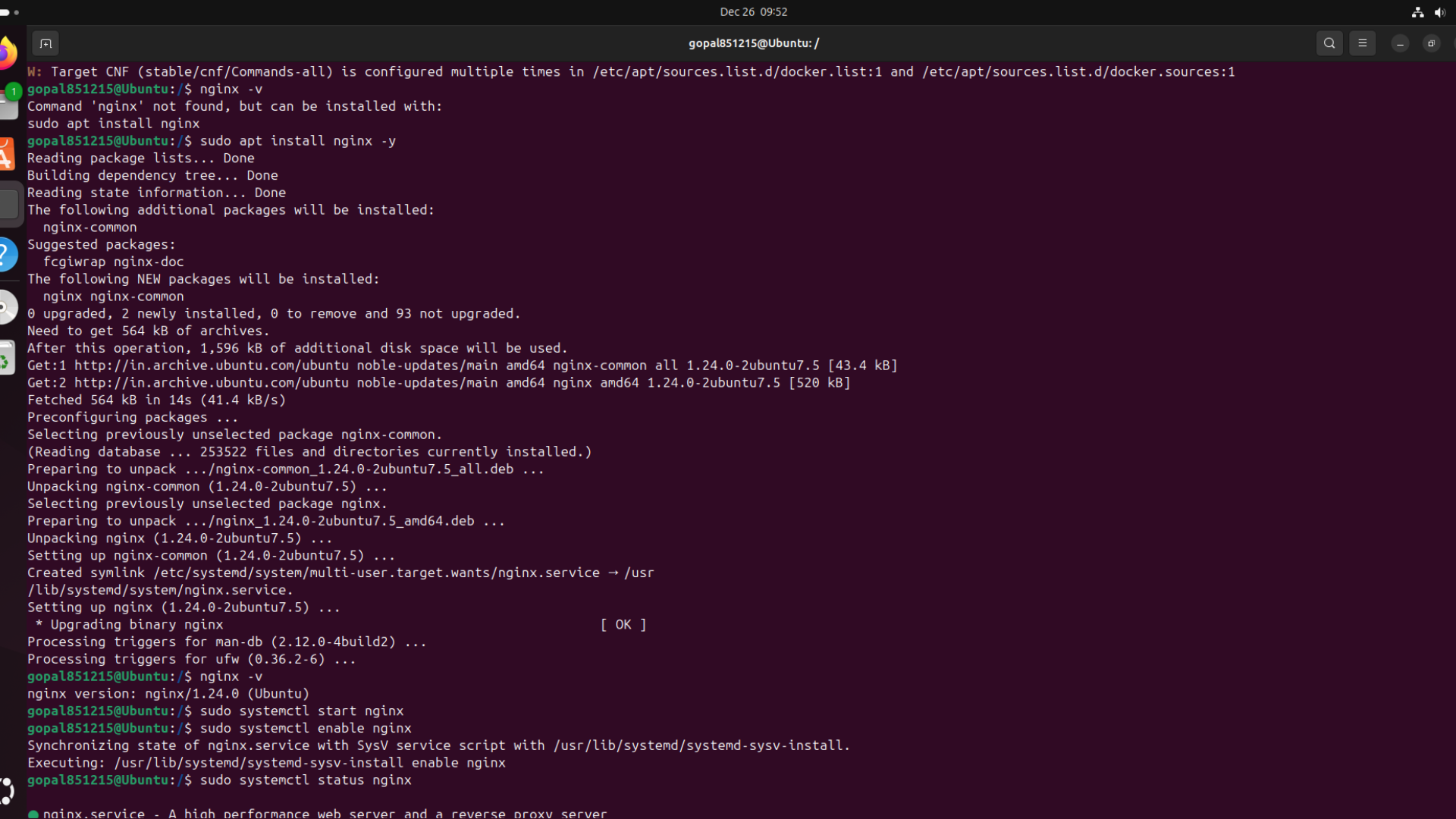
📥 Step 3: Install Nginx
sudo apt install nginx -YCheck if it is running:
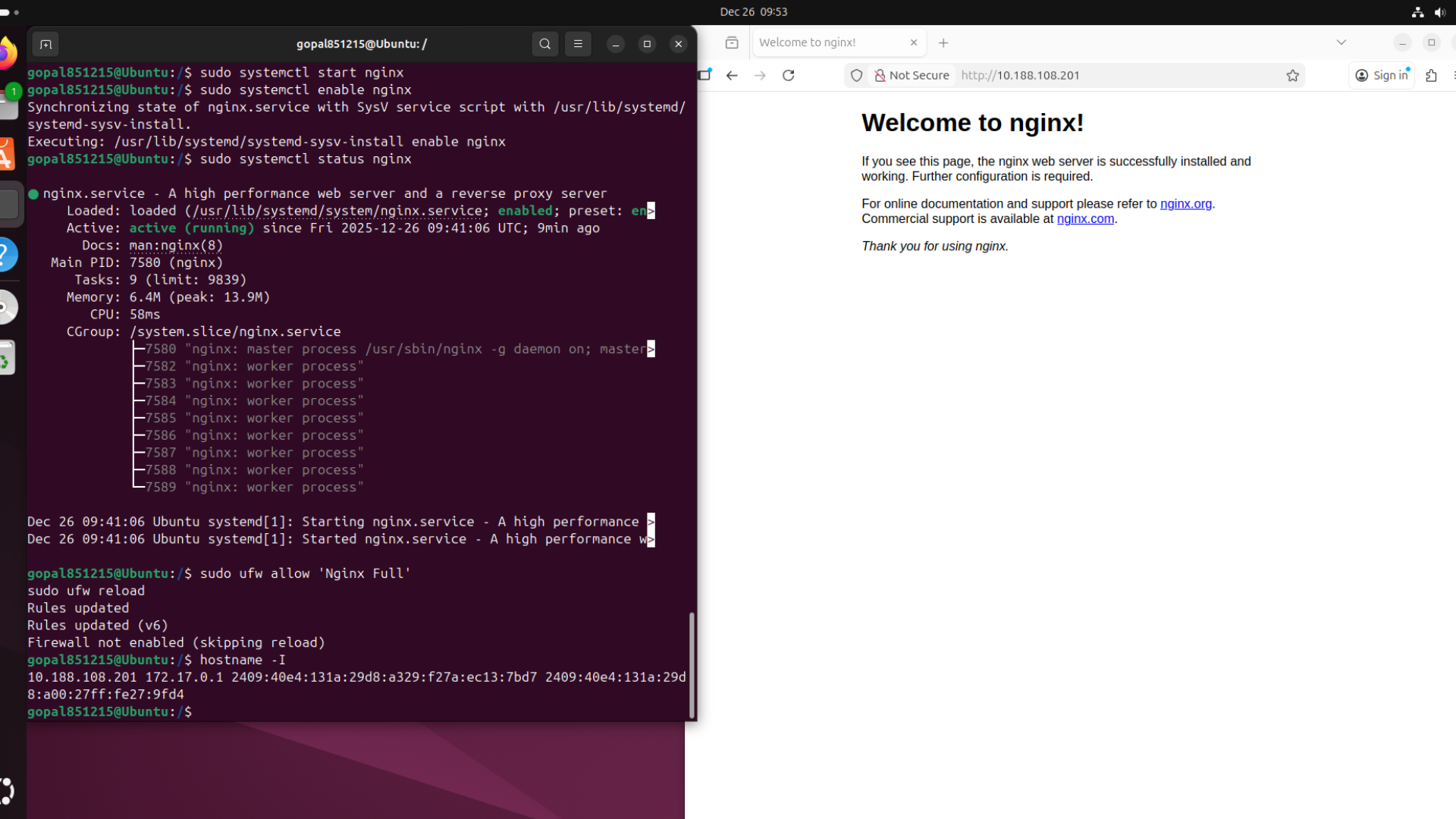
sudo systemctl status nginxIf running, you’ll see:
Active: active (running) ✅🌍 Step 4: Allow Firewall (If Enabled)
sudo ufw allow 'Nginx Full'Check status:
sudo ufw status🎉 Step 5: Access Your Web Server
Open your browser:
http://your-server-ipYou should see the default Welcome to Nginx! page.
🎊 Congratulations! Your web server is live.
📂 Step 6: Deploy Your Own Website
Default Nginx website folder:
/var/www/html
Move into the directory:
cd /var/www/html
Remove default file:
sudo rm index.nginx-debian.html
Create your own website:
sudo nano index.html
Paste this:
    <!DOCTYPE html>
    <html>
    <head>
        <title>My First Web Server</title>
    </head>
    <body>
        <h1>Hello DevOps World 🚀</h1>
        <p>This website is deployed using Nginx!</p>
    </body>
    </html>
Save and exit.
Now refresh browser 🎉
🧠 How Nginx Works (Simple Flow)
    User Browser
          ↓
    Internet
          ↓
    Server (Port 80)
          ↓
    Nginx
          ↓
    Website Files (/var/www/html)
          ↓
    Response to User
⚙️ Important Nginx Commands
Start Nginx:
sudo systemctl start nginx
Stop Nginx:
sudo systemctl stop nginx
Restart Nginx:
sudo systemctl restart nginx
Reload Configuration:
sudo systemctl reload nginx
🏗️ Nginx Folder Structure
Main config file:
/etc/nginx/nginx.conf
Site config folder:
    /etc/nginx/sites-available
    /etc/nginx/sites-enabled
Website root:
/var/www/html
📈 Why Nginx is Popular? High performance
Handles thousands of connections
Low memory usage
Great for reverse proxy
Easy configuration
Perfect for microservices & DevOps
📊 Real-World Use
Nginx is used by:
Netflix
WordPress
Airbnb
It is a core component in many DevOps pipelines.